Quick Answer
To build a flexible staff schedule for mining and heavy industry, use a digital scheduler that lets you:
- Drag-and-drop crews across jobs, sites and shifts
- See live availability — leave, training, medicals and tickets in one view
- Auto-check compliance before assigning (HRWL, inductions, fatigue)
- Push changes to mobile so workers see updates instantly
- Sync to payroll with the right award rates already applied
Managing staff schedules in mining, engineering, and heavy industry isn't simple. Crews change, projects shift, shutdowns come up fast, and compliance requirements don't slow down just because plans do.
Time Lost to Manual Processes
Research shows that workers spend more than 40% of their time on repetitive manual tasks that could be automated — time that could instead be directed toward higher-value work.
If you're still juggling spreadsheets, whiteboards, or disconnected tools, flexibility quickly turns into frustration.
A digital staff scheduler gives you the structure you need without locking you into rigid systems. Here's how to build a flexible, future-proof scheduling setup that actually works in the real world.
What Is a Digital Staff Scheduler?
A digital staff scheduler is a centralised platform used to plan, assign, and manage workforce schedules in real time.
Unlike static rosters or spreadsheets, a digital scheduler allows schedules to evolve as conditions change. It becomes a living view of your workforce, rather than a document that's outdated the moment something shifts.
At its core, a digital staff scheduler helps you:
- Allocate staff across jobs, projects, and sites
- See availability, roles, and qualifications in one place
- Make fast changes without breaking the entire schedule
- Keep supervisors and admin teams aligned
For contractors operating in complex environments, this level of visibility is essential.
Why Flexibility Is Critical in Workforce Scheduling
In heavy industry, rigidity creates risk. Projects change, crews rotate, weather intervenes, and client demands shift. A scheduling system that can't adapt quickly forces teams into constant rework — increasing admin time and the likelihood of errors.
A flexible staff scheduler helps businesses manage:
Instead of reacting to problems, teams can plan with confidence — even when conditions change.
Step 1: Centralise Scheduling in One System
The foundation of flexibility is visibility. When scheduling information is scattered across spreadsheets, emails, and whiteboards, even small changes become disruptive. A digital scheduler brings everything together into a single source of truth.
This includes:
- Staff availability and roles
- Project schedules and timelines
- Site locations
- Leave and downtime
- Mobilisation details
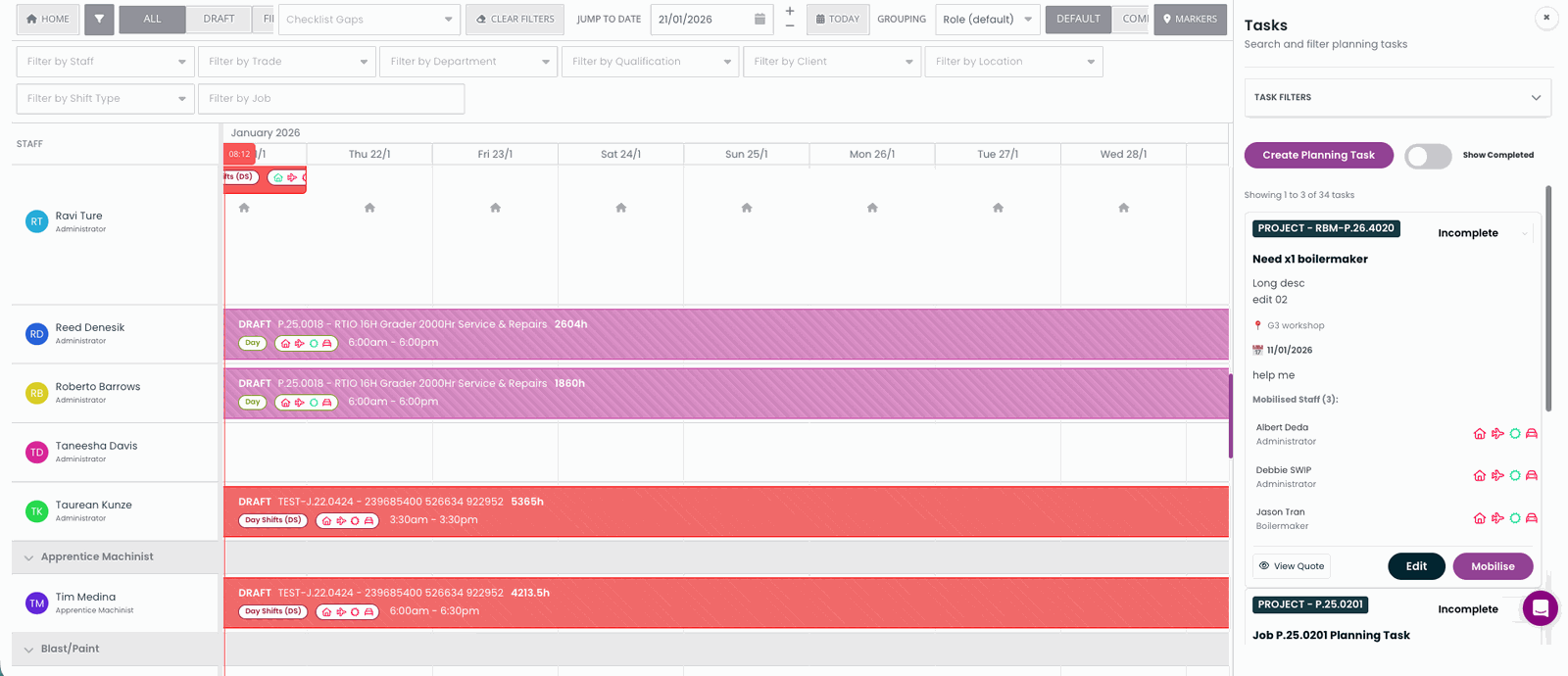
With all scheduling data in one place, updates can be made quickly and shared instantly — without chasing down multiple systems.
Step 2: Schedule by Role, Skills, and Capability
Flexible scheduling isn't just about filling time slots. It's about assigning the right people to the right work.
A well-designed digital scheduler allows you to plan based on:
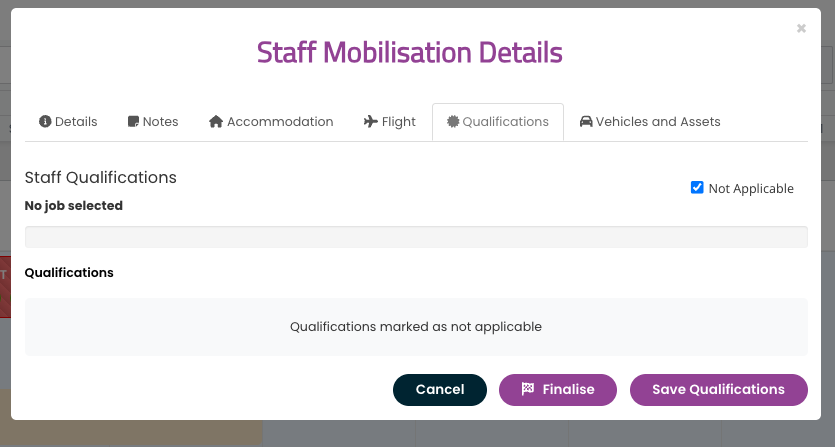
This approach reduces last-minute reshuffling and ensures teams are properly equipped before they reach site — especially important in mining and engineering environments where compliance matters.
Step 3: Make Schedule Changes Easy and Controlled
No schedule stays perfect for long. A flexible digital scheduler should allow teams to adjust quickly, without creating confusion or losing oversight. This means changes are simple to make, but still visible and controlled.
Key features to support this include:
- Drag-and-drop staff assignment
- Clear draft vs finalised schedule views
- Filters to highlight what still needs attention
- Visual indicators for changes or gaps
When updates are easy to manage, schedulers spend less time fixing problems and more time planning ahead.
Step 4: Connect Scheduling to Mobilisation Planning
True flexibility goes beyond shifts on a calendar. For contractors, scheduling only works when it's connected to mobilisation details.
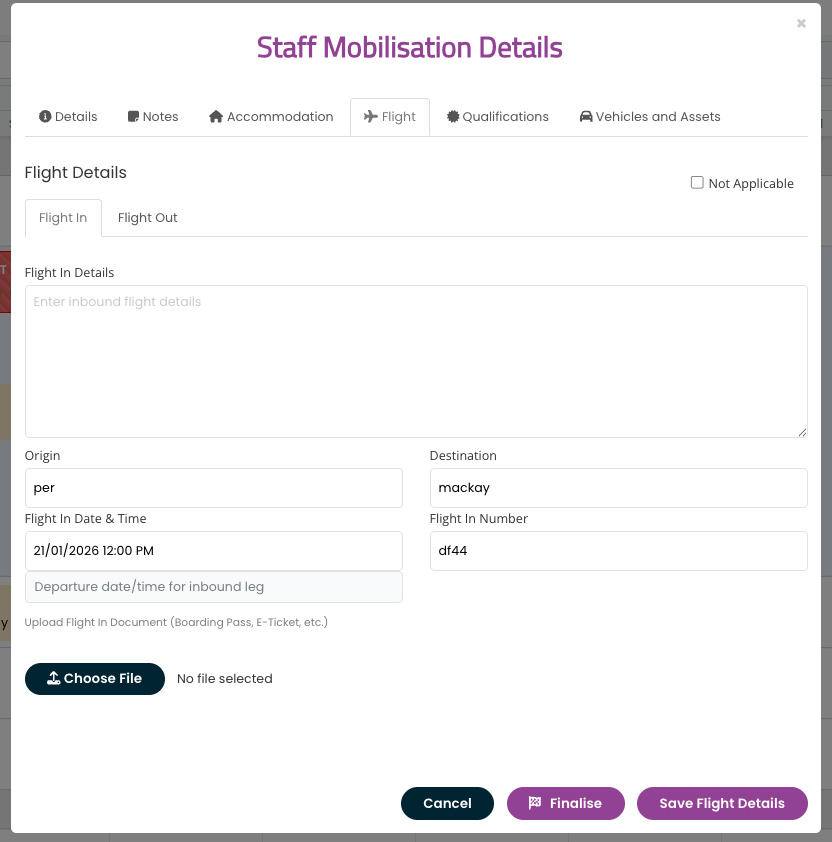
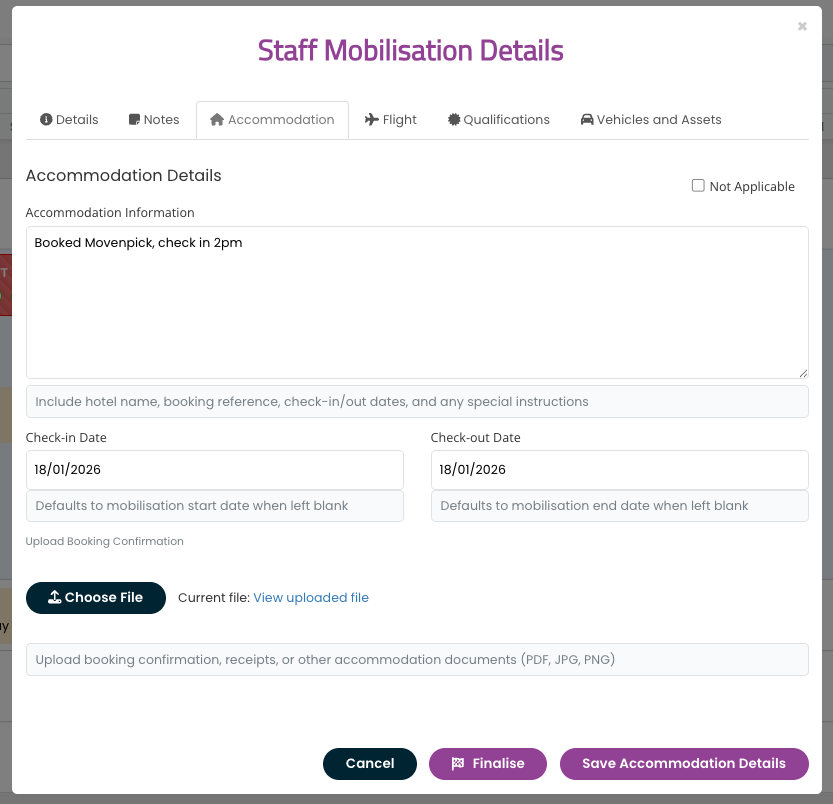
A digital scheduler that links staffing to mobilisation planning helps teams see whether crews are actually ready to get to site — not just scheduled on paper. Visual indicators and clear booking status reduce missed details and last-minute scrambling.
Step 5: Keep Teams Aligned with Real-Time Visibility
A flexible scheduler only works if everyone trusts it. That trust comes from having:
- One system everyone uses
- Real-time updates as changes are made
- Clear visibility for admins, supervisors, and managers
- No duplicate or outdated schedules in circulation
When teams know the scheduler reflects reality, it becomes a planning tool — not a source of confusion.
Step 6: Build a Scheduler That Can Scale with Your Business
Flexibility isn't just about today's needs. It's about preparing for growth.
As your business expands, your scheduler should be able to:
- Support multiple projects and sites
- Handle larger crews and more complexity
- Adapt to changing workflows
- Integrate with payroll, compliance, and operations
Choosing a digital scheduler that scales prevents painful system changes later on.
How SprintSuite Supports Flexible Staff Scheduling
SprintSuite is built specifically for contractors operating in mining, engineering, and heavy industry.
Its digital scheduler is designed to support real-world complexity by allowing teams to:
Rather than forcing contractors into rigid workflows, SprintSuite adapts to how teams actually operate on site and in the office.
A flexible staff scheduler isn't about making scheduling more complicated. It's about removing friction, improving visibility, and giving teams confidence when plans change.
If your current scheduling process feels fragile, time-consuming, or reactive, a digital scheduler can transform how your workforce is managed. The right system allows you to plan for change — instead of scrambling when it happens.
Related Articles
Best Staff Scheduling Software for Mining Companies
Compare the top staff scheduling solutions designed for mining operations.
What is Workforce Management Software?
A comprehensive guide to understanding workforce management software.
Staff Management Software for Mining & Field Teams
The complete guide to digital timesheets, rostering, and workforce compliance.