Workforce Planning and Scheduling Software for Mining and Field Service Contractors
4.8 star rating across Capterra, Google, and Software Advice.

Plan jobs, schedule employees and coordinate crews
across projects, sites and shifts.
Trusted by contractors and teams across mining and engineering


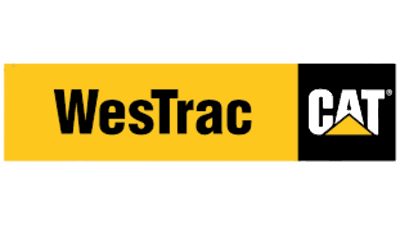




Smarter workforce planning for mining and field service operations
Most contractor scheduling still happens across spreadsheets, whiteboards, emails and group messages. It works until a job moves, a crew changes, or two projects need the same people in the same week. SprintSuite keeps the schedule connected to the jobs, workforce records and timesheets your team already maintains.
Everything you need to plan work and allocate the right people
Plan work across projects and sites
Review upcoming jobs, dates and locations in one place instead of separate spreadsheets.
Assign employees and crews
Allocate people to the jobs, projects and shifts where they are needed.
Identify unassigned jobs or shifts
Make it easier to see work that still needs someone allocated to it.
Review workforce availability
Check relevant availability and workforce information before you commit an assignment.
Turn changing job requirements into a schedule your crews can rely on
Book a DemoSee the work, the people and the gaps with scheduling features built for contractors
Hover over the glowing dots to explore each feature
Scheduled dates
Allocated employees
Unassigned work
Job and asset detail
Site and project
Tap the glowing dots to explore each feature
Plan upcoming work, assign employees and identify unassigned jobs before mobilisation day.
More tools to power your projects
SprintSuite brings together every feature you need to manage people, projects, and performance—all in one connected platform.
AI Powered Automation
Project Management
Smart Scheduling
Flights & Accommodation Management
People & HR Management
Payroll
AI Powered Procurement
Field App
Health and Safety
Custom Forms
Recruitment
File Management
Five schedulers, one connected plan
Roster planning, task scheduling, asset scheduling, job scheduling and project plans all read from the same workforce and job information. Choose a scheduler to see it.
Roster planning for FIFO, shutdown and site-based crews
Build a roster pattern once — day shifts, night shifts, R&R blocks — then repeat the cycle and preview the whole roster before it goes out to crews.
- Set roster patterns with shift start and end times
- Preview every day, shift and R&R block before publishing
- Assign employees to roster positions across sites
- Keep rosters connected to the jobs and projects they support
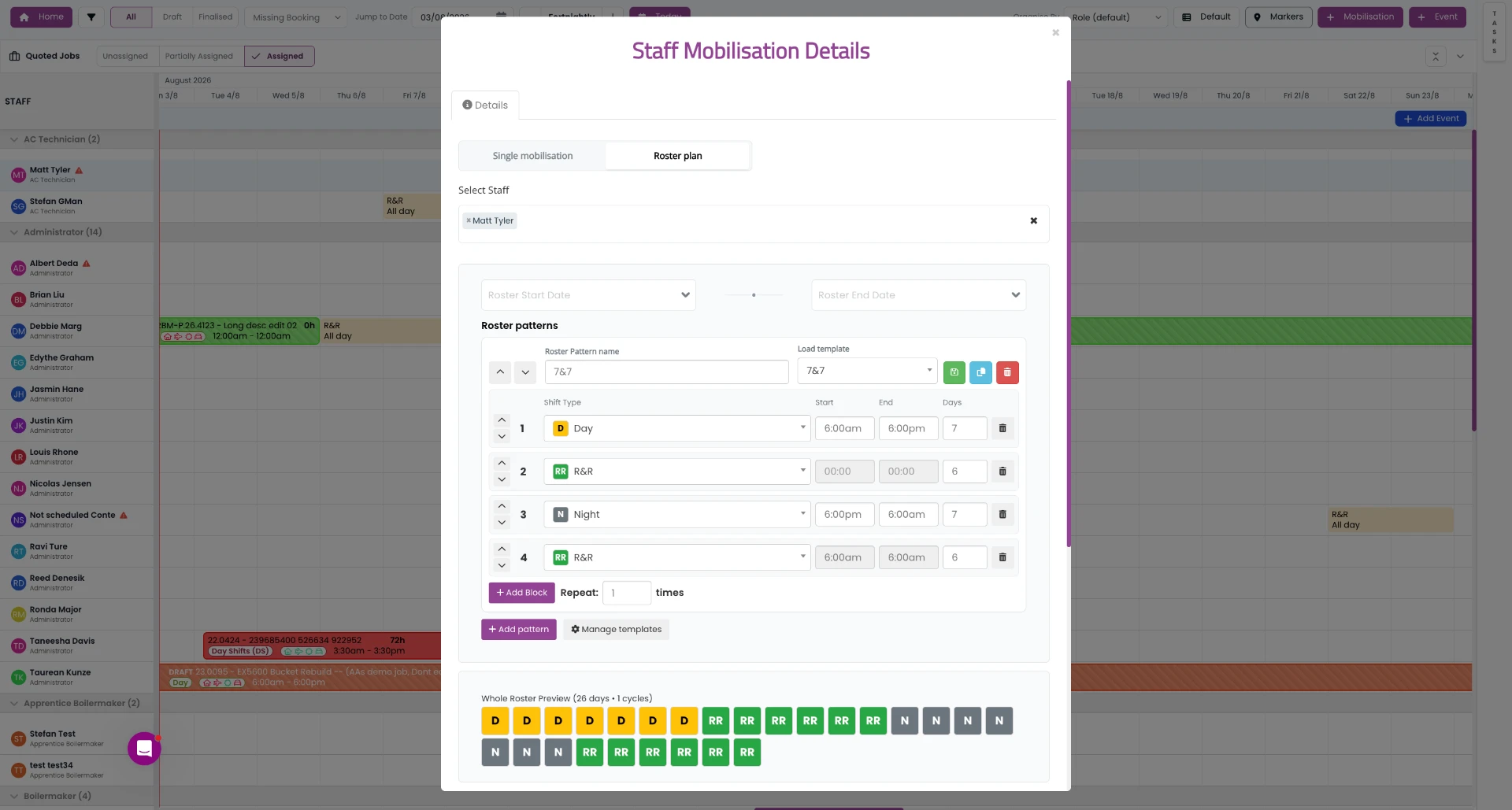
Roster plan builder: patterns, shift types, day counts and a whole-roster preview.
Move from upcoming work to an allocated workforce
A repeatable planning and scheduling process, from reviewing what is coming up to sharing the schedule with the teams who need it.
Review upcoming work
See jobs, projects, dates, locations and workforce requirements.
Confirm workforce requirements
Identify the roles, people, shifts or crew requirements needed for each job.
Review employee availability
Check relevant availability and workforce information before allocating employees.
Assign employees or crews
Schedule employees against the appropriate jobs, projects or shifts.
Identify scheduling gaps
Review unassigned work, missing coverage or information that requires attention.
Share the operational schedule
Give relevant teams access to current job and schedule information through the appropriate SprintSuite workflows.
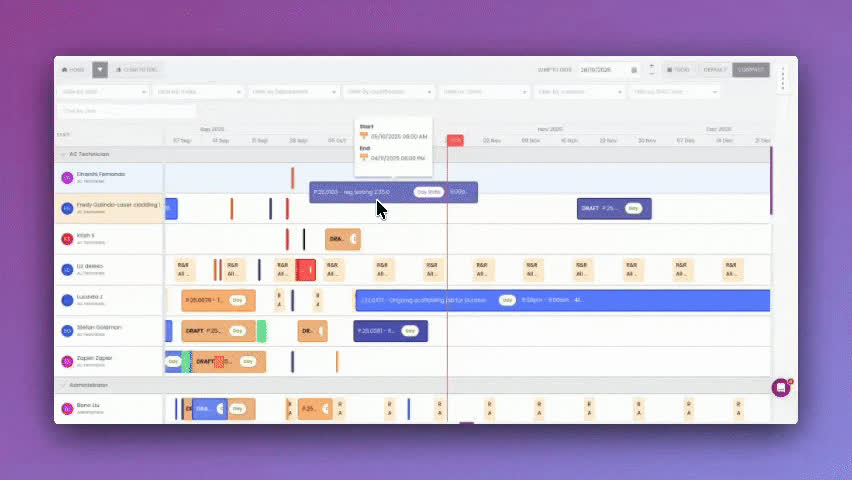
Plan jobs and coordinate crews with better visibility
The scheduling capabilities Australian contractors use most, connected to the jobs and workforce records they already maintain in SprintSuite.
Job-based scheduling
Schedule employees against the jobs and projects they will perform.
Workforce allocation
Assign employees or crews according to operational requirements.
Unassigned work visibility
Identify jobs or shifts that have not yet been allocated.
Employee availability
Review relevant availability information when preparing schedules.
Role-based planning
Use employee roles or work requirements to support allocation decisions where available.
Multi-project visibility
Review workforce activity across multiple jobs and projects.
Multi-site scheduling
Coordinate work across different project or site locations.
Schedule changes
Update assignments when project dates or workforce requirements change.
Travel and accommodation information
Keep relevant travel and accommodation details connected to jobs or workforce assignments where supported.
Mobile access
Allow relevant employees to access current job or schedule information through confirmed SprintSuite mobile workflows.
Job information connection
Keep schedules connected to project details, documents, tasks or operational information where supported.
Timesheet connection
Connect scheduled jobs and employees with time-entry workflows where supported.
Workforce scheduling becomes difficult when every job is changing
These are the scheduling problems Australian contractors tell us about most often.
Identify unassigned work before it becomes an operational problem
Unassigned jobs or shifts usually surface late — the day before mobilisation, or the morning the crew is due on site. That leads to last-minute coordination, missed work and avoidable pressure on operations teams.
- See work that still needs employees
- Identify incomplete workforce coverage
- Review upcoming allocation requirements
- Prioritise urgent scheduling decisions
- Coordinate with project managers
- Reduce reliance on manual schedule checks
Scheduling visibility helps your team see the gap earlier. Filling it remains an operational decision.
Schedule with relevant workforce information available
Allocating employees should not happen separately from workforce records. Where the information is maintained in SprintSuite, schedulers can review details such as:
SprintSuite does not automatically validate every requirement before an assignment is made — it makes the relevant information easier to review.
Explore Workforce ManagementKeep the schedule connected to the job
A schedule that only holds an employee name and a date leaves supervisors chasing the rest. In SprintSuite, a scheduled job can connect with the information the crew and the office actually need.
Coordinate work across multiple projects and locations
Mining and heavy-industry contractors rarely keep people in one place. Employees move between workshops, client sites, shutdowns and field projects, often within the same week. Multi-site workforce scheduling means seeing:
This is planning visibility based on what has been scheduled and recorded — not live location tracking of employees or vehicles.
Connect scheduled work with time and job records
Scheduling is one stage of a longer operational workflow. Where these steps are connected, teams re-key less information and everyone works from the same job context.
Scheduling software for complex contractor operations
Mining projects
Crews move between sites and campaigns, and requirements change with the project schedule.
Maintenance work
Planned and reactive maintenance both compete for the same available people.
Shutdowns
Short, high-intensity windows where every shift needs the right coverage confirmed early.
Engineering projects
Longer projects where allocation has to be planned around milestones and deliverables.
Mechanical services
Technicians split across workshop work and site callouts on the same day.
Electrical services
Licensed work that has to be matched to people with the right qualifications.
Field service teams
Distributed crews who need current job and schedule information away from the office.
Workshop operations
Workshop capacity has to be planned alongside the jobs that leave the yard.
Labour-based projects
Headcount, roles and shift coverage drive the value of the contract.
Multi-site contracts
One workforce shared across several locations with competing demands.
Project mobilisation
Getting people, inductions, travel and accommodation coordinated before work starts.
Recurring service work
Regular client work that still needs people confirmed against each visit, where supported.
Limited Time Offer: Get payroll built for mining & SprintSuite free for 30 days*
What Our Sprinters Say
Real results from mining and engineering teams who've transformed the way they manage projects with SprintSuite. From streamlining workflows to improving communication and compliance, these teams are seeing faster delivery times, stronger collaboration, and complete visibility across every stage of their projects.
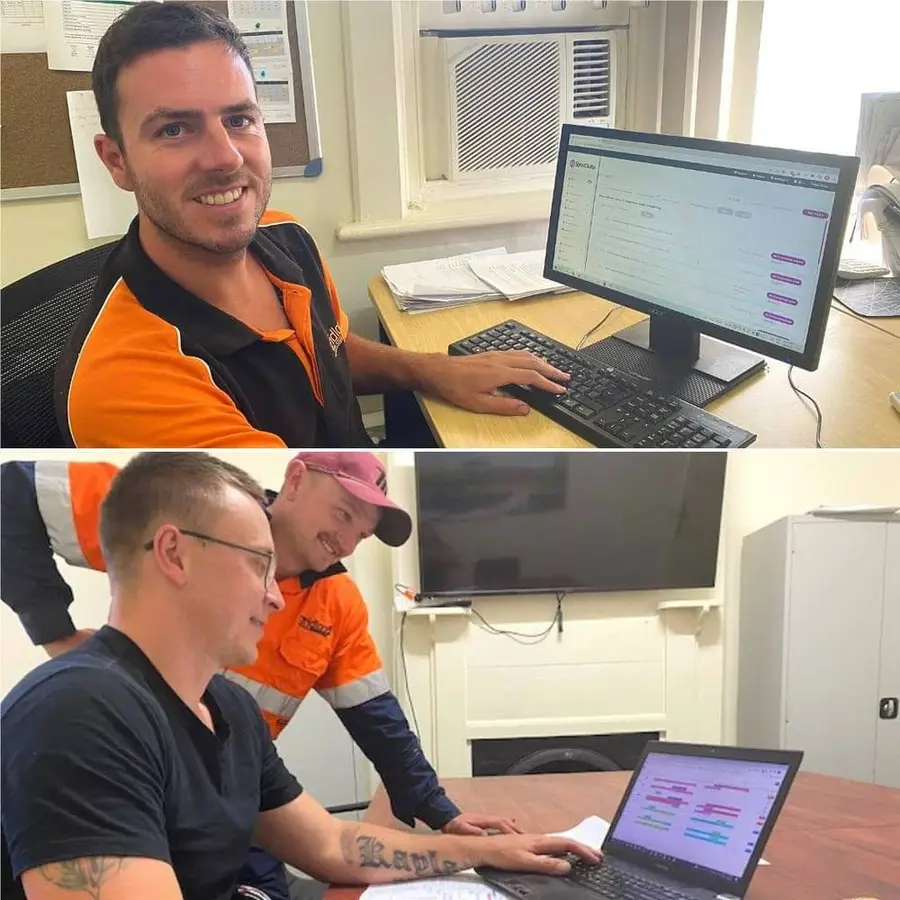

We have been able to make big changes with SprintSuite, making our business run smoother, more efficiently, and we'd be lost without it now!
Michele Johnston
General Manager

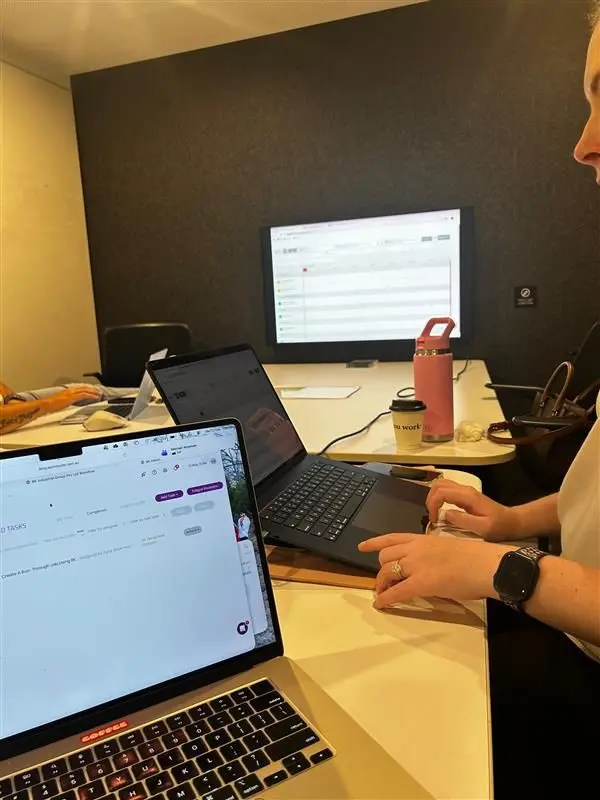
We recently had the pleasure of completing training with Emal and Jeremy at SprintSuite in Melbourne, and we couldn't speak more highly of the experience. From start to finish, the training was professional, engaging and incredibly valuable. Their depth of knowledge, combined with their approachable and supportive style, made the entire experience both productive and enjoyable.
BK Industrial Group
Melbourne Training Session

Works With Your Trusted Integrations
SprintSuite scheduling integrates seamlessly with your favourite tools








Move beyond spreadsheet-based scheduling
A spreadsheet or a standalone scheduling tool may suit a business that only needs a simple calendar or roster. SprintSuite may be more suitable when scheduling needs to remain connected to jobs, workforce records, timesheets and operational information.
| Capability | Spreadsheets and whiteboards | Standalone scheduling tools | SprintSuite |
|---|---|---|---|
| Job connection | Manual — jobs live elsewhere | Varies by tool | Schedules sit against jobs and projects |
| Employee allocation | Possible, but manual | Core strength | Allocation using connected workforce records |
| Workforce information | Stored separately | Often limited | Workforce records available in the same platform |
| Unassigned work visibility | Relies on manual checking | Varies by tool | Unassigned work can be identified |
| Schedule changes | Re-worked by hand | Supported | Updated where the job already lives |
| Multi-project visibility | Difficult across files | Varies by tool | Review activity across jobs and projects |
| Site information | Held in other documents | Often limited | Connected to job and site details |
| Travel and accommodation | Tracked separately | Usually not covered | Kept with the job or assignment where supported |
| Timesheet connection | Separate process | Integration dependent | Connects with time workflows where supported |
| Job documentation | Stored in folders or email | Usually not covered | Documents stay attached to the job where supported |
| Mobile access | Limited | Commonly available | Mobile workflows for relevant employees |
| Operational reporting | Built manually | Scheduling focused | Reporting across connected operational data |
Clearer scheduling for every operational team
Workforce coordinators
Review upcoming requirements, employee availability and unassigned work.
Operations managers
See workforce coverage across jobs, sites and projects.
Project managers
Understand which employees are assigned to upcoming work.
Supervisors
Access current schedule and job information for their teams.
HR and mobilisation teams
Coordinate workforce information, inductions and mobilisation requirements where supported.
Employees
Access relevant job and schedule information through confirmed SprintSuite workflows.
Business owners
Gain clearer visibility over how people are allocated across operational work.
Connect planning and scheduling with the rest of your operation
Scheduling works best when the surrounding workflows share the same job and workforce information.
FAQs
Common questions from Australian contractors comparing workforce planning and scheduling software.
Ready to plan the work and coordinate the right people?
Join Australian mining and field service teams already scheduling their crews with SprintSuite