How does automatic job scheduling work?
Automatic job scheduling works by turning incoming work into structured jobs, then letting software match each job to an available, qualified crew using rules you set. The engine reads the job's requirements (skills, tickets, site inductions, crew size, plant, access window), checks live availability against rosters, leave, committed work and travel, removes everyone who cannot do it, ranks the rest on your priorities, then proposes or commits the allocation and dispatches it to the technician's mobile app. Most Australian field service teams run it in assisted mode, with a scheduler confirming or overriding the proposal.
- Structured work orders in, not free-text emails
- Constraints and compliance checked before dispatch
- Availability calculated from rosters, leave, jobs and travel
- Candidates ranked on completion time, travel, cost or skills
- Recalculation when breakdowns and urgent work land
- Actual hours feed back to improve duration estimates
How automatic job scheduling works, step by step
Work comes in as structured jobs
Reactive calls, client portal requests, breakdowns and planned maintenance routines all become a work order with a site, scope, priority, duration estimate and due window. Automation can only schedule what it can read — free-text emails and whiteboard notes cannot be scheduled automatically.
The system reads your constraints
Each job carries requirements: skills and trade, licences, site inductions, permits, crew size, plant and equipment, and any client access windows. These are configured once against sites and task types rather than remembered by the scheduler each morning.
Availability is calculated, not assumed
The engine looks at rosters, approved leave, existing committed jobs, shift patterns, fatigue rules and travel time. Someone rostered on is not necessarily available at 2pm on Thursday, and automation should know the difference.
Candidates are filtered and ranked
Anyone unqualified, uninducted, expired, on leave or already committed is removed. The remaining candidates are ranked on the priorities you choose — earliest completion, least travel, lowest cost, preferred technician for the site, or skills match.
The schedule is proposed
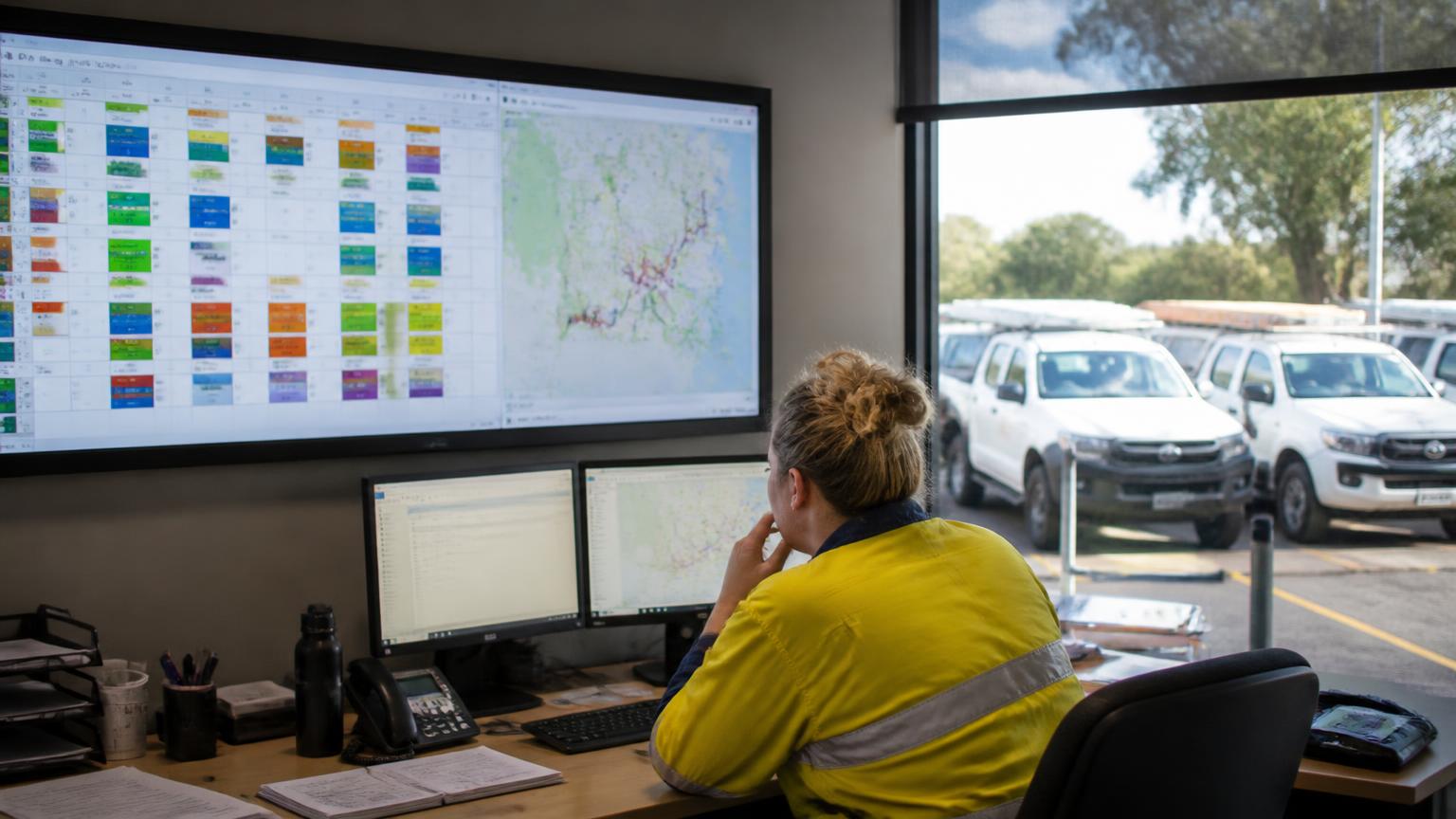
Most Australian contractors run this as assisted rather than fully automatic: the system proposes the allocation and the scheduler accepts, adjusts or overrides it. Fully automatic dispatch suits high-volume, low-variation service work.
Dispatch and notification
The job lands on the technician's mobile app with the site details, history, attachments, checklists and requirements. Notifications go to the crew, and where relevant the client gets a confirmed window.
Rescheduling when reality changes
A breakdown, a no-show, weather or a late part triggers a recalculation. Good automation shows the knock-on effect across the week before you commit to the change, rather than silently bumping committed work.
Feedback from what actually happened
Actual hours, travel and completion data feed back into duration estimates. Over time the scheduling engine gets closer to how long that job type really takes on that site.
What automatic scheduling needs to be accurate
Accurate job durations
If every job is estimated at 'a day', automation will produce a tidy schedule that is wrong. Duration by task type, refined from actual hours, is the single biggest accuracy lever.
Current skills and tickets
Licences, HV authorisations, competencies and site inductions with expiry dates. Automation that schedules an expired induction just moves the problem to the gate.
Real rosters and leave
Shift patterns, RDOs, approved leave, FIFO/DIDO swings and fatigue limits, so proposed allocations are actually workable.
Site and client rules
Access windows, permit lead times, shutdown blackout periods, inductions required per site, and preferred crews for sensitive clients.
Plant, equipment and parts
The crane, EWP, test gear or long-lead part is often the real constraint. If the engine cannot see it, it will schedule a job that cannot proceed.
Travel and geography
Regional and remote work makes travel a cost, not a rounding error. Distance and drive time between sites need to be part of the calculation.
What field service teams get out of it
- Dispatchers spend the morning handling exceptions instead of rebuilding the board from scratch.
- Fewer aborted jobs because tickets, permits, plant and parts are checked before dispatch.
- Travel and idle time drop when allocation considers location and existing commitments.
- Utilisation becomes visible — you can see who is over-committed and who is under-used.
- Urgent work can be absorbed with a clear view of what it displaces.
- Hours captured against the scheduled job flow through to costing, payroll and invoicing without re-entry.
Where automation stops and judgement starts
It will not fix bad data
Automation amplifies whatever is in your system. Wrong durations, stale tickets and missing site rules produce confidently wrong schedules.
It does not know the politics
Which client needs your best crew, which supervisor is training an apprentice, which site is sensitive this month. Keep an override, and keep a human accountable for the week.
It is not a replacement for planning
Shutdowns, staged projects and multi-crew campaigns still need deliberate planning. Automation handles allocation within a plan, not the plan itself.
Are you ready for automatic scheduling? A quick checklist
- Every job type has a realistic duration estimate you would defend to a client.
- Skills, licences and site inductions are recorded with expiry dates in one place.
- Rosters, leave and shift patterns live in the same system as the jobs.
- Site requirements are configured against sites, not carried in someone's head.
- Technicians already receive and complete jobs on a mobile app.
- Hours are captured against jobs and tasks, not just a weekly total.
- Someone owns the schedule and has authority to override an automated allocation.
The Australian compliance layer you cannot automate away
Automated allocation still sits inside your obligations as an employer. Award, roster and pay conditions are set out by the Fair Work Ombudsman , time and wage record duties by Fair Work record-keeping guidance , and shift, roster and fatigue risk by Safe Work Australia . Confirm your own obligations with those sources or your workplace relations adviser.