AWARD INTERPRETATION SOFTWARE
Award Interpretation Software for Mining and Heavy Industry
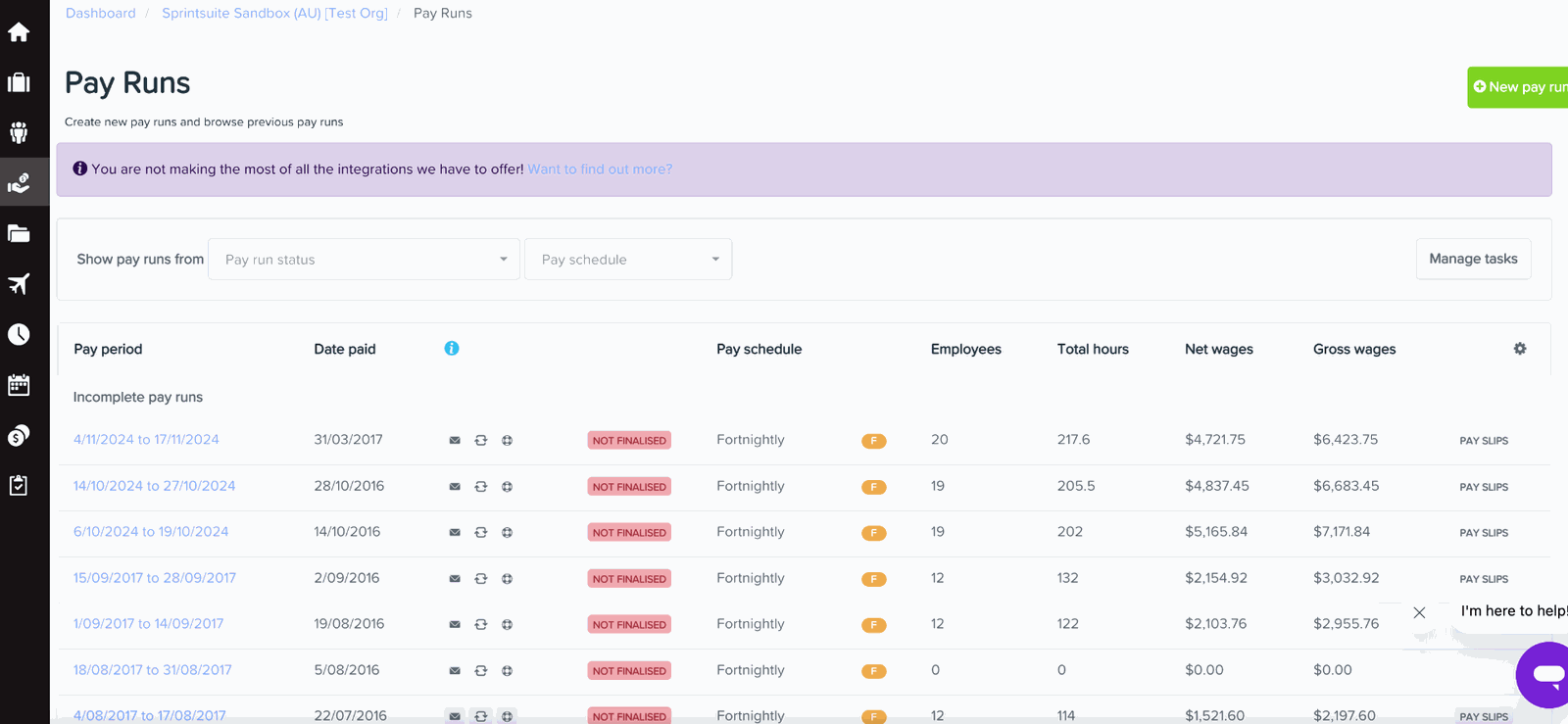
Award interpretation software helps apply the correct pay rates, overtime, allowances and employment conditions based on an employee's award, classification and hours worked. SprintSuite connects this with operational timesheets and job data, helping Australian contractors prepare payroll-ready information without manually interpreting every timesheet.
Built for Australian mining, heavy-industry and field service contractors.
What SprintSuite helps automate
Allowances
Capture applicable allowances from workforce and job information.
Overtime
Flag hours that may need different rates under configured rules.
Employee classifications
Link workers to the right trade, classification or setup.
Timesheets
Field timesheets, hours and job data in one workflow.
Payroll-ready data
Reviewed workforce data ready for payroll and integrations.
Award interpretation should not become a weekly payroll bottleneck
Payroll teams in mining and heavy industry often need to review hours, roles, shifts, overtime, allowances and individual employee conditions across multiple jobs and sites. The information is usually there — it just takes time to pull together and check.

How award interpretation works in SprintSuite
Timesheet award interpretation in four steps — from field hours to payroll-ready timesheets.
- 1
Capture time
Workers submit hours and timesheets from the field.
- 2
Apply workforce rules
Configured employment, classification and rate information is applied to the relevant records.
- 3
Review exceptions
Supervisors or payroll teams review hours, allowances and exceptions before approval.
- 4
Prepare payroll data
Approved information is ready for payroll processing or connected workflows.
See how SprintSuite connects timesheets, workforce rules and payroll-ready data.
Book a DemoManage complex pay conditions with better visibility
Overtime calculations
Apply configured overtime conditions to approved employee hours.
Penalty rates
Account for relevant shifts, days and working conditions.
Allowances
Manage applicable employee and work-related allowances.
Apprentice rates
Support different apprentice stages and configured employee rates.
Timesheet approvals
Give supervisors a clear workflow for checking time before payroll.
Role and employee conditions
Account for differences between employees, roles, projects and work arrangements.
Exception visibility
Help payroll teams identify information requiring review.
Connected operational data
Keep timesheets, jobs, employees and payroll information within a connected workflow.
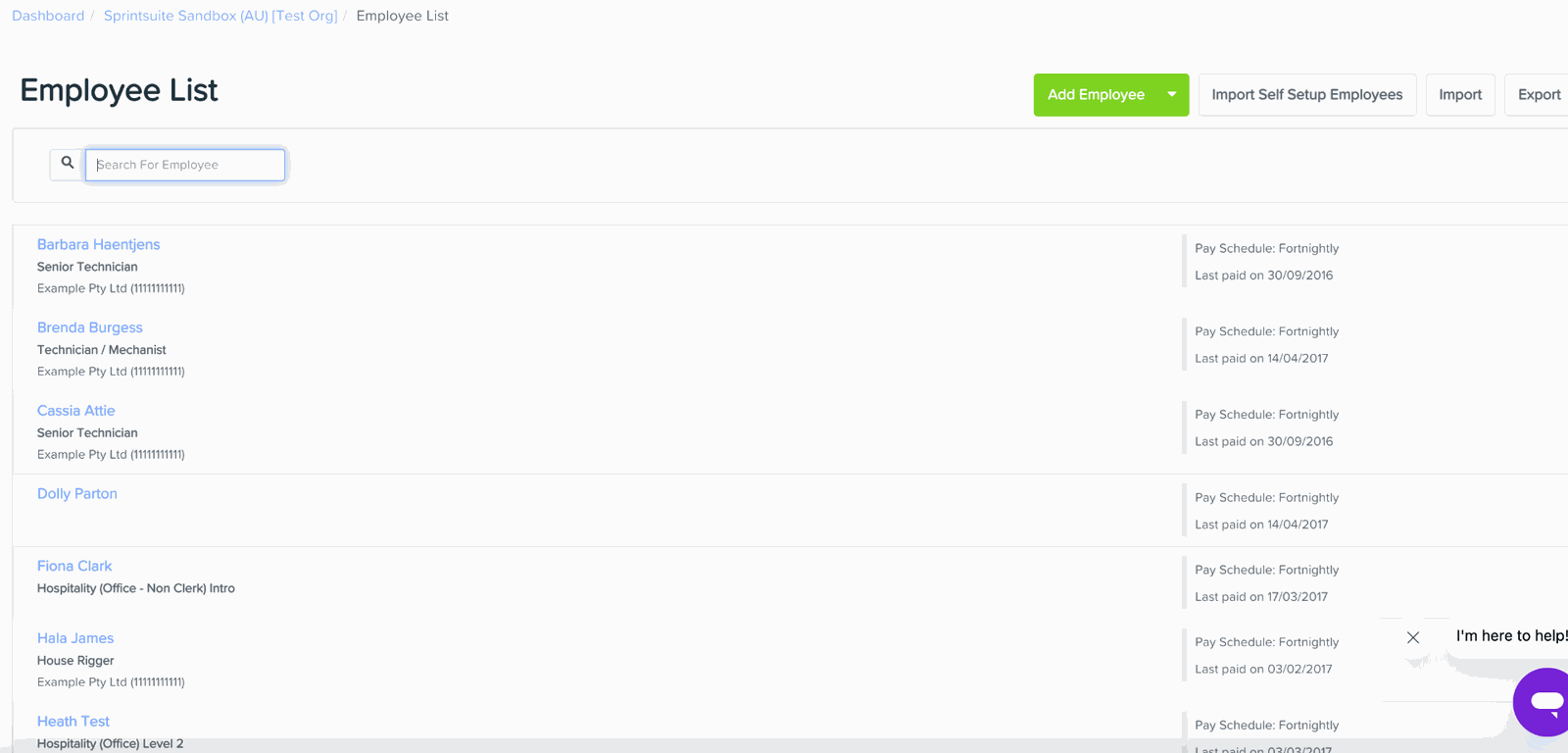
Employee records hold the roles, pay schedules and rate conditions used at payroll time.
Built for businesses with more than simple nine-to-five payroll
SprintSuite is designed for businesses managing field-based employees, variable working conditions, multiple projects and day-to-day operational complexity — where pay depends on where the work happened, when it happened and who did it.
Mining contractors
Heavy engineering businesses
Field service teams
Workshops
Maintenance contractors
Multi-site workforces

Spend less time manually interpreting every timesheet
- Reduce repetitive payroll preparation
- Improve consistency across pay calculations
- Give payroll teams clearer information
- Connect approved time with employee and job data
- Identify exceptions before payroll is finalised
- Create a more repeatable payroll process as the workforce grows
More than a standalone payroll calculator
| Area | Manual spreadsheets | Disconnected payroll processes | SprintSuite connected workflow |
|---|---|---|---|
| Timesheet approvals | Chased by email or paper | Approved outside the payroll system | Built into the same workflow as time capture |
| Employee information | Held in separate files | Re-entered between systems | Stored against the employee record |
| Job and site context | Added manually, if at all | Usually missing from pay data | Carried through from the job and site |
| Overtime and allowances | Calculated by hand each period | Applied late in the process | Applied from configured pay conditions |
| Exception visibility | Found after processing | Depends on manual checking | Surfaced for review before finalising |
| Operational connection | None | Limited | Timesheets, jobs and people in one platform |
| Scalability | Effort grows with headcount | More systems to reconcile | Repeatable process as the workforce grows |
Timesheet approvals
- Comparison
Spreadsheets
Chased by email or paper
Disconnected
Approved outside the payroll system
SprintSuite
Built into the same workflow as time capture
Employee information
- Comparison
Spreadsheets
Held in separate files
Disconnected
Re-entered between systems
SprintSuite
Stored against the employee record
Job and site context
- Comparison
Spreadsheets
Added manually, if at all
Disconnected
Usually missing from pay data
SprintSuite
Carried through from the job and site
Overtime and allowances
- Comparison
Spreadsheets
Calculated by hand each period
Disconnected
Applied late in the process
SprintSuite
Applied from configured pay conditions
Exception visibility
- Comparison
Spreadsheets
Found after processing
Disconnected
Depends on manual checking
SprintSuite
Surfaced for review before finalising
Operational connection
- Comparison
Spreadsheets
None
Disconnected
Limited
SprintSuite
Timesheets, jobs and people in one platform
Scalability
- Comparison
Spreadsheets
Effort grows with headcount
Disconnected
More systems to reconcile
SprintSuite
Repeatable process as the workforce grows
Connect award interpretation with the rest of your workforce operations
Award interpretation payroll software
Turn approved time into payroll-ready information.
Timesheet software for contractors
Digital time capture with supervisor approvals.
Employee rate cards and classifications
Employee records, rates, conditions and compliance.
Job management and labour costing
Connect labour hours back to jobs and projects.
Mining contractor management software
Run sites, crews and contracts in one platform.
Field workforce management
Manage field crews, jobs and time from the app.
Scheduling
Plan shifts, crews and site coverage.
Rostering software
Build FIFO and mining roster patterns.
Training and competency management
Track tickets, licences and competencies.
Want to understand how award interpretation works?
Read our guide to how payroll award interpretation works, including overtime, penalty rates, allowances and common payroll challenges.
Award interpretation software FAQs
Make complex payroll conditions easier to manage
See how SprintSuite can connect employee time, approvals, pay conditions and operational information in one platform.