Quick Answer
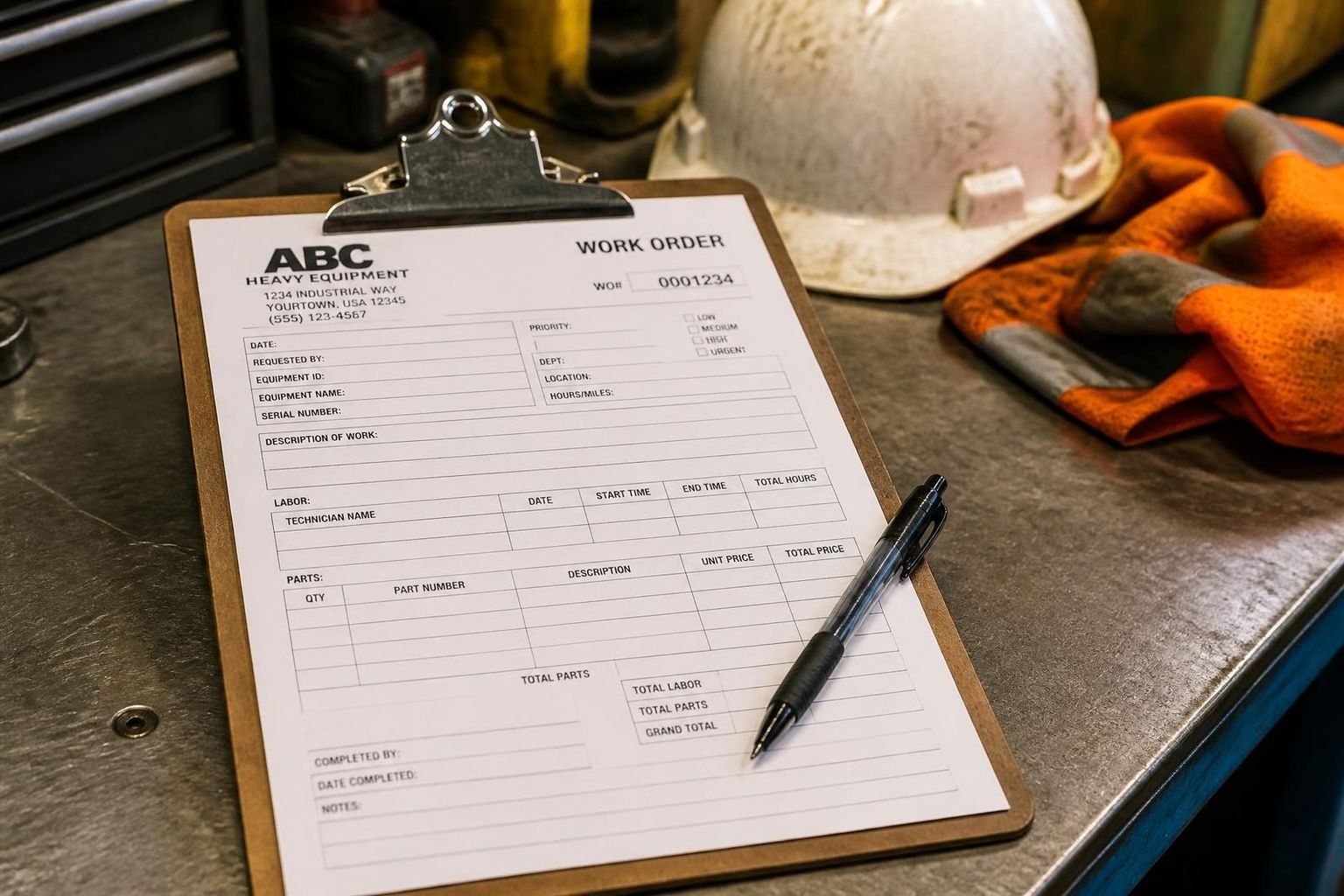
A work order template is a reusable form that captures everything needed to plan, do and bill a job. A complete work order template includes:
- Work order number, status and priority.
- Customer, site, contact and PO number.
- Asset / plant number, serial and hour meter reading.
- Scope of work and task list.
- Safety and compliance — SWMS, JSA, permits, isolations, pre-starts.
- Labour with tickets, hours and rates.
- Parts, materials and supplier PO references.
- Completion notes, defects, photos and three-way sign-off.
Download the free SprintSuite work order template as a printable PDF or an Excel/CSV register.
What is a work order template?
A work order template is a standard form your business uses every time a job is raised — a breakdown, a scheduled service, an inspection, a shutdown task or a customer call-out. Instead of every supervisor writing a job up their own way, the template forces the same fields every time: what the job is, where it is, which asset it's on, who's doing it, what safety requirements apply, what parts are needed and what it cost.
That consistency is the whole point. A good template means jobs can be scheduled without a phone call, costed without guesswork, invoiced without chasing crews for hours, and produced as evidence when a client audits you. For a full explainer on the document itself, read what is a work order.
What's in the free work order template
1. Job details
Work order number, status, priority (breakdown, urgent, planned, shutdown), customer, site, contact, PO number, asset/plant number, serial and hour meter reading. This is the header every other section hangs off.
2. Scope of work
A plain-English description of what has to be done, broken into tasks. Vague scope is where variations, reworks and disputes come from — write it so a crew who has never seen the job can execute it.
3. Safety & compliance
SWMS, JSA, take-5, permits, isolations and pre-starts required before work starts, with reference numbers, who completed them and when. On a Tier-1 site this is the section auditors read first.
4. Labour
Date, worker, tickets/licences held, start, finish, breaks, total hours, charge rate and cost. Capture it as work happens — hours reconstructed from memory on Friday afternoon are the single biggest source of lost margin.
5. Parts, materials & equipment
Quantity, part number, description, supplier/PO, unit cost and total. Linking parts to a PO on the work order is what stops crews arriving on site without the seal kit.
6. Completion, defects & sign-off
What was actually done, defects found, follow-up work required, photos attached, and technician, supervisor and customer signatures with dates. This is what turns a finished job into an invoice.
How to use the work order template
Download the template
Grab the PDF for printing and on-site use, or the CSV/Excel version if you want to track work orders in a spreadsheet register.
Add your branding and rates
Drop in your logo, ABN, standard labour rates and any client-specific PO or cost-code fields you're required to quote.
Number every work order
Use a single sequential series (WO-1001, WO-1002…). One number, one job — never reuse or duplicate. This is what makes history searchable later.
Attach safety docs before dispatch
SWMS, JSA, permits and isolations get referenced on the work order before the crew leaves the yard, not after they're on site.
Capture labour and parts on the day
Hours, parts, photos and defects go on the work order while the job is live. Same-day capture is what protects your margin and your claim.
Sign off, then invoice
Technician, supervisor and customer signatures close the work order. Invoice straight off it so quoted vs actual is visible before the variation gets argued.
PDF vs Excel vs work order software
PDF work order template
Print it, clip it to a board and fill it in by hand. Best for crews with no reliable coverage, and for clients who still want a physical copy left on site.
Excel / CSV work order template
One row per work order with every field as a column — good for a small register, running totals and basic reporting across a month of jobs.
Digital work order software
Once you're past roughly 20–30 work orders a week, templates start costing more than they save. Software validates tickets, attaches safety docs, captures hours on the phone and pushes straight to invoicing.
Common work order template mistakes
- No unique work order number — jobs get double-billed or never billed at all.
- Scope written as three words ("fix leak") with no acceptance criteria.
- Safety documents referenced after the job instead of before dispatch.
- Labour recorded in whole days rather than actual start/finish times.
- Parts used but never linked to a purchase order, so cost of sale disappears.
- No customer signature — the strongest defence you have when a claim gets disputed.
- Completed templates filed in a ute glovebox instead of against the asset's service history.
Related reading: What is a work order? · What is field service software? · What is job scheduling software? · How to manage machine pre-start checks.