Quick Answer
To track employee time in the workshop, capture start and finish times plus hours booked against each work order — on a tablet kiosk on the floor or a mobile app. Set up a short list of job and task cost codes, load your award or EBA pay rules into the software, have supervisors approve hours daily, and export approved hours to payroll and invoicing from the same record. Then compare booked hours to quoted hours every week so a job going over is caught while it's still open.
Why workshop time tracking is different
A workshop is not an office and not a site crew. One fitter can touch four work orders in a shift, half the floor is on overtime during a shutdown, parts hold-ups create dead time that has to go somewhere, and rework on a warranty job is real cost that nobody wants to write down. Tracking only attendance in that environment gives you a payroll number and no answers. Tracking hours against work orders gives you both — the same entry pays the tradesperson and prices the job.
8 steps to track employee time in the workshop
Decide what you're measuring before you buy anything
Attendance and job time are two different numbers. Attendance answers payroll; job time answers whether the quote was right. In a workshop you need both, and they rarely match — a fitter can be on site 10 hours and only book 7.5 to jobs. Write down which decisions the data has to support first: pay, invoicing, quoting, or all three.
Build a simple job and cost code structure
Time is only useful if it lands somewhere. Set up work orders per job, then a short list of task or cost codes — machining, fabrication, welding, assembly, rework, workshop overhead, training. Keep it under about a dozen. Long code lists get guessed at, and guessed data is worse than no data.
Pick a capture method that suits the floor
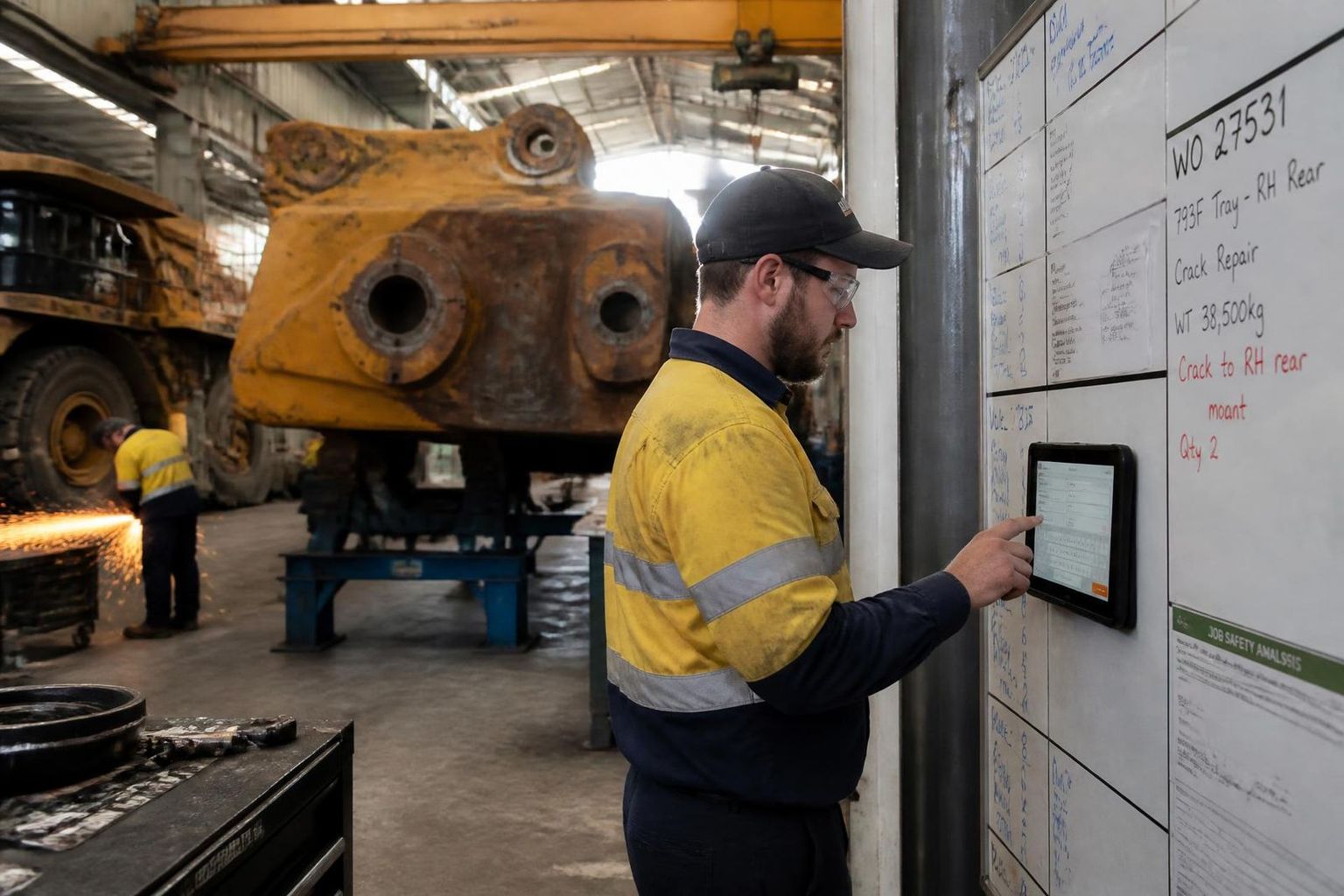
Options are a wall-mounted tablet kiosk near the job board, the tradesperson's own phone, or a shared workshop terminal at the supervisor's desk. Kiosks work well for start-and-finish attendance; phones work better for booking time to multiple work orders across a shift. Whatever you choose has to be usable with gloves and dirty hands in under 30 seconds.
Capture time against the work order, not just the clock
The single biggest upgrade in most workshops is asking one extra question at entry: which work order? That turns a payroll record into a costing record. Anything that can't be attributed goes to a workshop overhead code so it's still visible rather than hidden.
Set the pay rules once, in the system
Load your award or EBA into the software — ordinary hours, overtime thresholds, shift loadings, weekend penalties, tool and travel allowances, RDOs. If pay rules live in a supervisor's head or a spreadsheet, every leave week creates a pay error.
Give supervisors a daily approval habit
Approval works when it takes five minutes a day, not two hours on Monday. Supervisors review yesterday's hours, fix obvious errors, and approve. Weekly batch approval is where pay disputes and unbillable hours come from, because nobody remembers what happened on Tuesday.
Compare booked hours to quoted hours every week
Pull hours by work order and put them next to the quoted hours. Jobs over 100% get looked at while they're still open. This is the payback on workshop time tracking — not policing people, but catching a job that's going backwards on day three instead of at invoicing.
Close the loop into payroll and invoicing
Approved hours should export to payroll and to the client claim from the same record, with no re-keying. Count the manual steps in your current process; every one of them is a place a number changes without an audit trail.
Ways to record workshop hours, compared
Most workshops move up this list as job volume grows. The trigger is usually the first job that loses money without anyone being able to say where the hours went.
| Method | Cost | Strengths | Limitations | Best fit |
|---|---|---|---|---|
| Paper dockets or a whiteboard | Free | Familiar, no rollout, works when power and wifi don't | Illegible, late, no job costing, hours re-keyed by hand every week | One or two staff, very few jobs |
| Excel timesheet template | Free | Flexible, can total hours by job if disciplined | No approvals, no audit trail, breaks when someone edits a formula | Small workshops starting to cost jobs |
| Time clock or bundy / biometric | Low | Accurate attendance and start-finish times | Tells you presence, not what was worked on — no work order data | Workshops where payroll accuracy is the only problem |
| Payroll-platform timesheets (Xero, MYOB) | Included | Clean path to the pay run, STP-ready | Limited job and task costing, thin approval workflow | Small teams with simple jobs |
| Job and workshop management software | Per user | Hours against work orders and cost codes, award rules, approvals, quoted vs actual, payroll and invoicing export | Needs setup of jobs and codes up front | Workshops running multiple jobs, clients or shifts |
The four numbers to report every week
Quoted vs actual hours by work order
The single most useful workshop report. Anything past 100% while still open gets a conversation, not a post-mortem.
Recovery rate
Billable hours as a share of hours paid. If it drifts down, either overhead time is growing or job time isn't being booked.
Rework hours
Hours booked to a rework code, by job and by cause. Usually the fastest quality improvement a workshop can find.
Overtime and consecutive shifts
Overtime by person and cumulative hours, so fatigue risk and cost are visible before the pay run, not after.
Mistakes that make workshop time tracking fail
Getting the crew on board
Workshop time tracking rarely fails on technology. It fails when tradespeople think it's about watching them. Be direct in the toolbox talk: accurate hours mean overtime gets paid correctly, disputes end, and quotes stop being guesses — which is how the workshop keeps winning work. Train supervisors on approvals first, run a week in parallel with the old process, and fix the friction people complain about in the first fortnight. Adoption is decided in that fortnight.
Best setup for a busy workshop
Tablet kiosk at the job board for clock-on and clock-off, mobile entry for booking hours to work orders during the shift, and daily supervisor approval — all in one system.
Keep the record defensible
Seven-year retention, an audit trail of every adjustment, and award rules applied by the system rather than by a supervisor's memory.
Work orders are the backbone of workshop time tracking — if yours are loose, start with what is a work order and the work order template guide. For the software side, see best time tracking software.
Related reading: Best time tracking app for Australian crews · Best time tracking software · Employee rostering software for FIFO & mining.