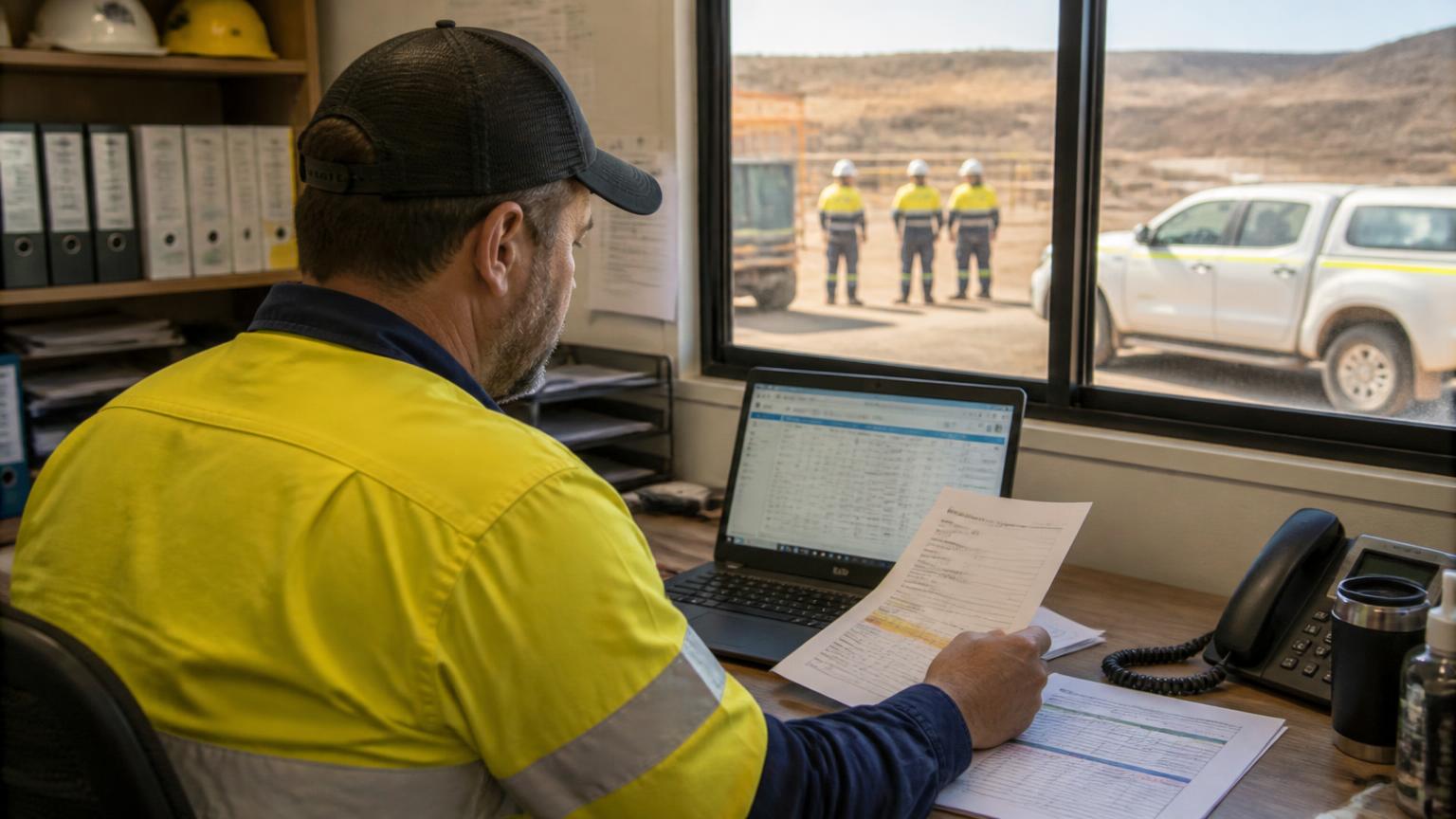
Field supervisor in hi-vis holding a phone beside a ute on a red-dirt site at sunset, with two crew members behind

    Workforce Management App: What to Look for When Managing Field Teams

    When your people work across different sites, keeping track of who is where, what they're doing and whether they're cleared to be there gets hard fast.

    Quick answer

    A workforce management app helps businesses schedule staff, allocate jobs, record timesheets and track compliance from one place, with a mobile app for field workers. It gives the office and the field the same real-time view of who is working where, on what, and for how long.

    8 October 202610 min read
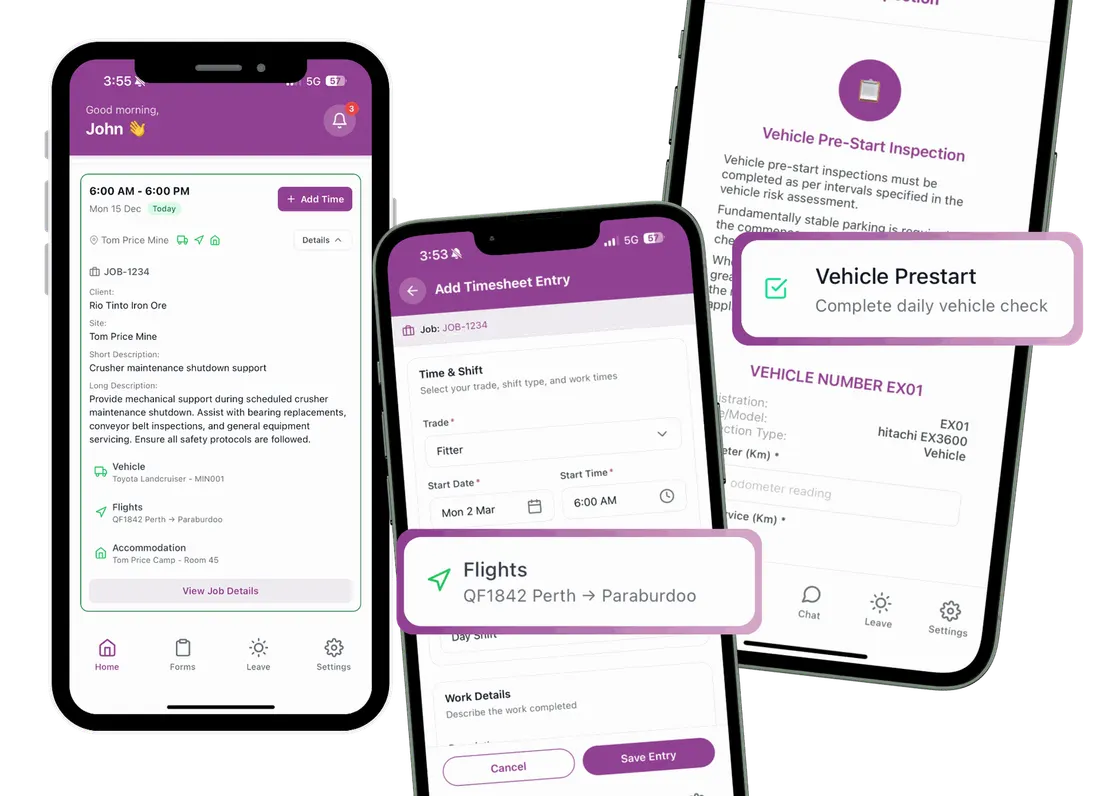
    SprintSuite field app screens on three phones

    Core capabilities

    What Should a Workforce Management App Actually Do?

    Most apps list dozens of features. For field teams, six capabilities do the heavy lifting. If you're new to the category, start with our guide to what workforce management software is.

    Staff and crew scheduling

    The challenge: Crews move between sites, shifts and swings, and a whiteboard or spreadsheet can't show clashes.

    How an app helps: A shared schedule shows who is where, flags double-bookings and updates everyone when plans change.

    What to check: Can you schedule by person and by crew, across several sites, and see leave and R&R at the same time?

    Planning and scheduling
    Mobile timesheets and approvals

    The challenge: Paper timesheets arrive late, are hard to read and get re-keyed into payroll.

    How an app helps: Workers enter hours on their phone against the job, and supervisors approve them before payroll.

    What to check: Are hours recorded against jobs, and can approvals flow into payroll without double entry?

    How timesheet approval should work

    Workforce compliance and competencies

    The challenge: Expired tickets or missing inductions are often found at the site gate.

    How an app helps: Licences, inductions and competencies are stored against each worker, with expiry alerts.

    What to check: Does the app warn you before you schedule someone who isn't qualified for the job or site?

    What is a training matrix

    Job allocation and operational visibility

    The challenge: Rosters say who is working, but not what they are working on.

    How an app helps: Jobs are allocated to people and crews, so the office can see progress across every site.

    What to check: Can you see jobs and people in one view, and move work when priorities change?

    Job allocation software

    Communication between office and field

    The challenge: Job details, changes and documents get lost in phone calls and group chats.

    How an app helps: Workers see job information, documents and updates in the app instead of chasing the office.

    What to check: Does the field team get the information they need on site, including where reception is poor?

    Workforce communication software

    Connected administrative workflows

    The challenge: Rosters, timesheets, payroll and invoicing sit in different systems that don't talk.

    How an app helps: Field data flows into payroll, job costing and invoicing without being typed in twice.

    What to check: Which systems does it connect to, and what still needs manual handling?

    Payroll and timesheets

    Choose the right category

    Workforce Management App vs Rostering App vs Field Service App

    These tools overlap, but each is built for a different job. Use this table to work out which one matches the problem you're solving. If your work is mostly job-based service visits, a dedicated field service app may be the better starting point.

    Workforce management appEmployee rostering appField service management appHR management system
    Primary purposeCoordinate people, schedules, compliance and time across operationsBuild and publish shift rostersManage jobs, work orders and on-site service deliveryManage employment records, leave, onboarding and policies
    Common featuresScheduling, timesheets, competencies, job allocation, mobile appShift templates, availability, shift swaps, notificationsJob cards, dispatch, forms, photos, sign-offs, invoicingEmployee profiles, contracts, leave, performance, documents
    Main usersOperations managers, schedulers, supervisors and field workersRostering managers and shift-based staffService coordinators and techniciansHR and people teams
    Best suited toContractors running crews across sites and jobsFixed-location, shift-based businessesJob-led service businessesOffice-based people administration
    Usually missingDeep HR functions such as performance reviewsJob allocation and site compliance checksWorkforce readiness and competency trackingDay-to-day scheduling and field activity

    Still deciding between rostering and broader tools? See what rostering software does.

    Beyond the roster

    Why Field Teams Need More Than Basic Rostering

    A roster tells you who is working today. Field contractors need to know a lot more than that, and that's where basic rostering apps run out of road.

    • Crews across multiple sites. People move between clients and locations, often at short notice. You need one view of every site, not one roster per site.
    • Workforce readiness. Before someone goes to site, their inductions, licences and medicals need to be current. A roster can't check that.
    • Changing job allocations. Breakdowns and urgent work reshuffle the day. The plan has to change quickly, and the field has to see the change.
    • Accurate timesheets from the field. Hours need to be recorded against the right job and cost code, not reconstructed at the end of the week.
    • Office and field connected. Supervisors and schedulers need the same information as the people doing the work.
    • Fewer disconnected spreadsheets. Each extra spreadsheet is another place for data to go out of date and another round of re-keying.

    For a deeper look at running crews across locations, read how to allocate jobs across multiple crews and sites.

    How workforce information should flow

    1. 1. Staff readiness

      Tickets, inductions and availability checked

    2. 2. Scheduling

      People and crews placed on sites and shifts

    3. 3. Job execution

      Jobs allocated and completed in the field

    4. 4. Timesheet capture

      Hours recorded on mobile against each job

    5. 5. Administration

      Approved hours flow to payroll and invoicing

    Buyer's guide

    How to Choose the Right Workforce Management App

    Tick the criteria that matter to your business to see what kind of app you need.

    Your result

    0/8

    criteria selected

    Tick the capabilities that matter to your business.

    Talk it through with us

    Comparing specific products? See our round-ups of staff management software for field teams and workforce management programs for mining.

    SprintSuite

    How SprintSuite Connects Your Workforce and Operations

    SprintSuite links the office plan, your people's information, the schedule and the work happening in the field, so each step feeds the next instead of being re-entered.

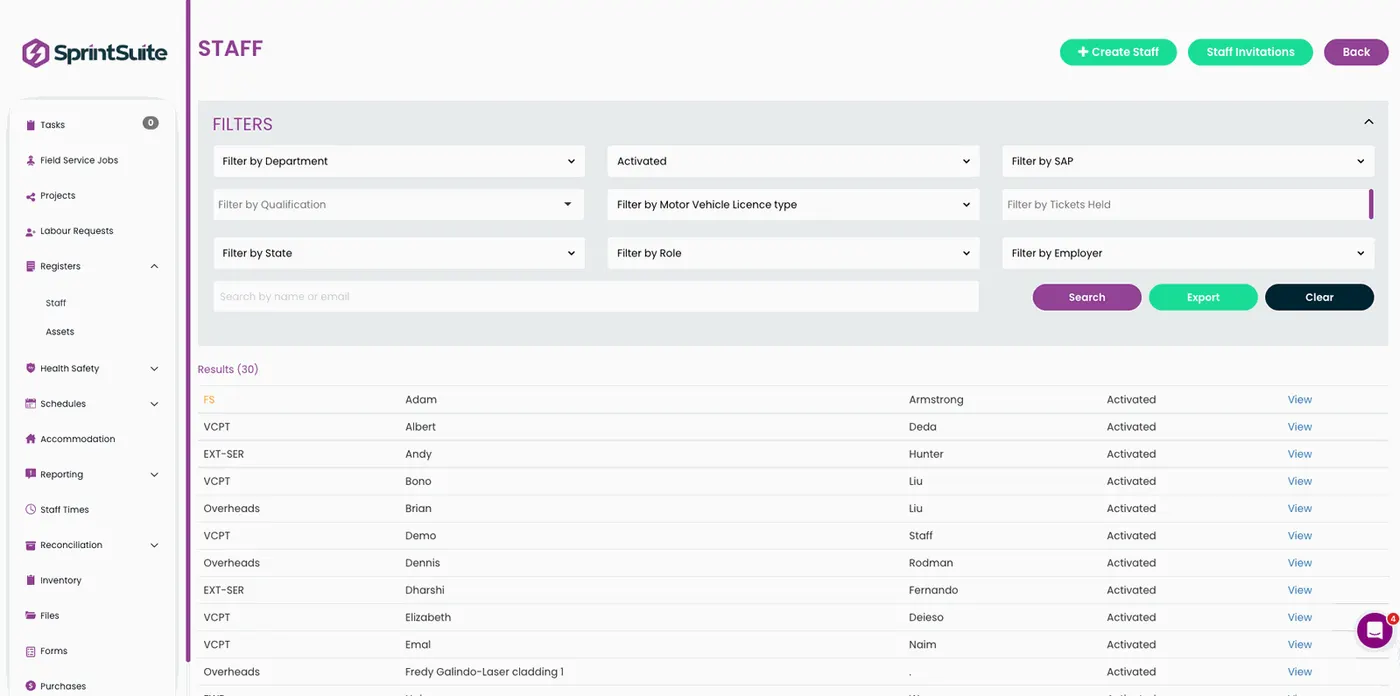
    SprintSuite staff management screen showing employee records and compliance
    People and workforce information. Employee details, competencies and expiries in one record.
    SprintSuite mobile app for field workers
    Field-based activity. Jobs, timesheets and forms on the worker's phone.
    SprintSuite staff scheduler showing employees and subcontractors across jobs
    Scheduling and allocation. Staff and subcontractors placed on jobs and sites.
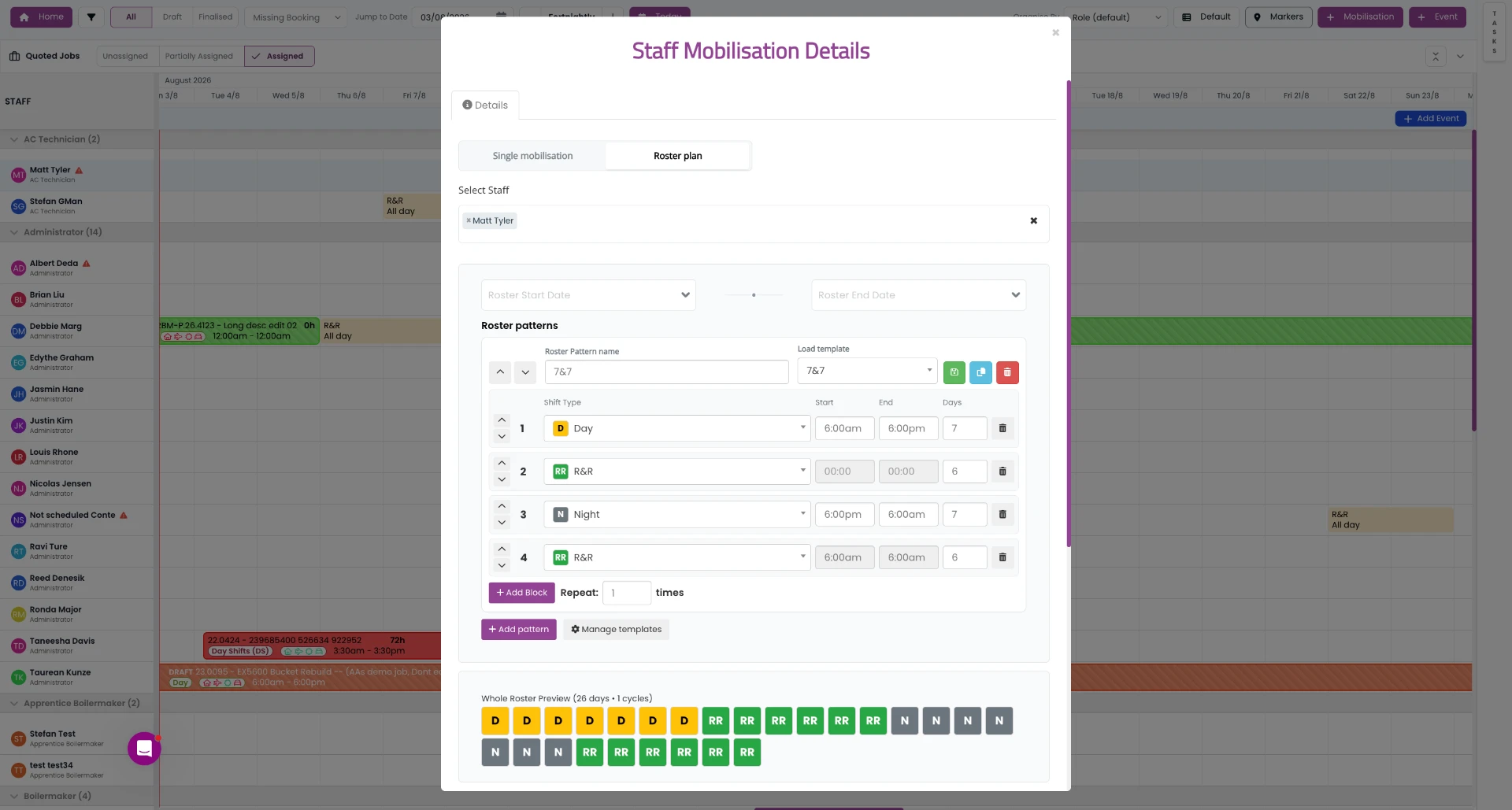
    SprintSuite roster plan view across a team
    Office-based planning and visibility. Roster plans across the whole team.

    Frequently Asked Questions

    A workforce management app helps businesses schedule staff, allocate work, record timesheets and track compliance from one system, with a mobile app for workers in the field. It gives the office and the field the same up-to-date information about who is working where, on what, and for how long.

    HR software manages employment records such as contracts, leave, onboarding and performance. A workforce management app manages day-to-day operations: scheduling people, allocating jobs, capturing time and checking that workers are qualified for each site. Many businesses use both.

    Yes. A good workforce management app shows every crew, site and job in one schedule, so you can see who is available, move people between teams and avoid double-booking, even when crews are spread across different locations.

    Look for a mobile app that works on site, scheduling for multiple crews and sites, tracking of tickets and inductions, timesheets recorded against jobs, support for award-based payroll, and integrations with your accounting software.

    Not always. A small team on one site can manage with simple tools. Once you run several crews, sites or clients with compliance requirements, or spend hours each week fixing timesheets, a workforce management app usually saves more time than it costs.

    Your Workforce. Your Jobs. One Connected Platform.

    When scheduling, compliance, timesheets and jobs share one system, your office and field teams work from the same plan.

    Book a SprintSuite Demo
    SprintSuite mobile workforce app screens